WoW Forever’s Gamepad Guide: Controls, Bars, and Beta Caveats
The gamepad guide lays out targeting, layered action bars, shortcuts, and current limits of controller support in WoW: Forever.
WoW Forever News
Set up and target
- The guide supports XInput-compatible controllers and Xbox and PlayStation button icons. Switch from keyboard-and-mouse input through Game Menu → Options → Gameplay → Gamepad, then tune camera, HUD modifier, frame focus, action bars, targeting, and raid-targeting settings.[1]
- Left bumper selects a friendly target and right bumper a hostile one. The guide also maps the sticks to movement and camera control, while noting that buttons such as X, A, B, and Y have both navigation and spell functions.[1]
Layered action bars
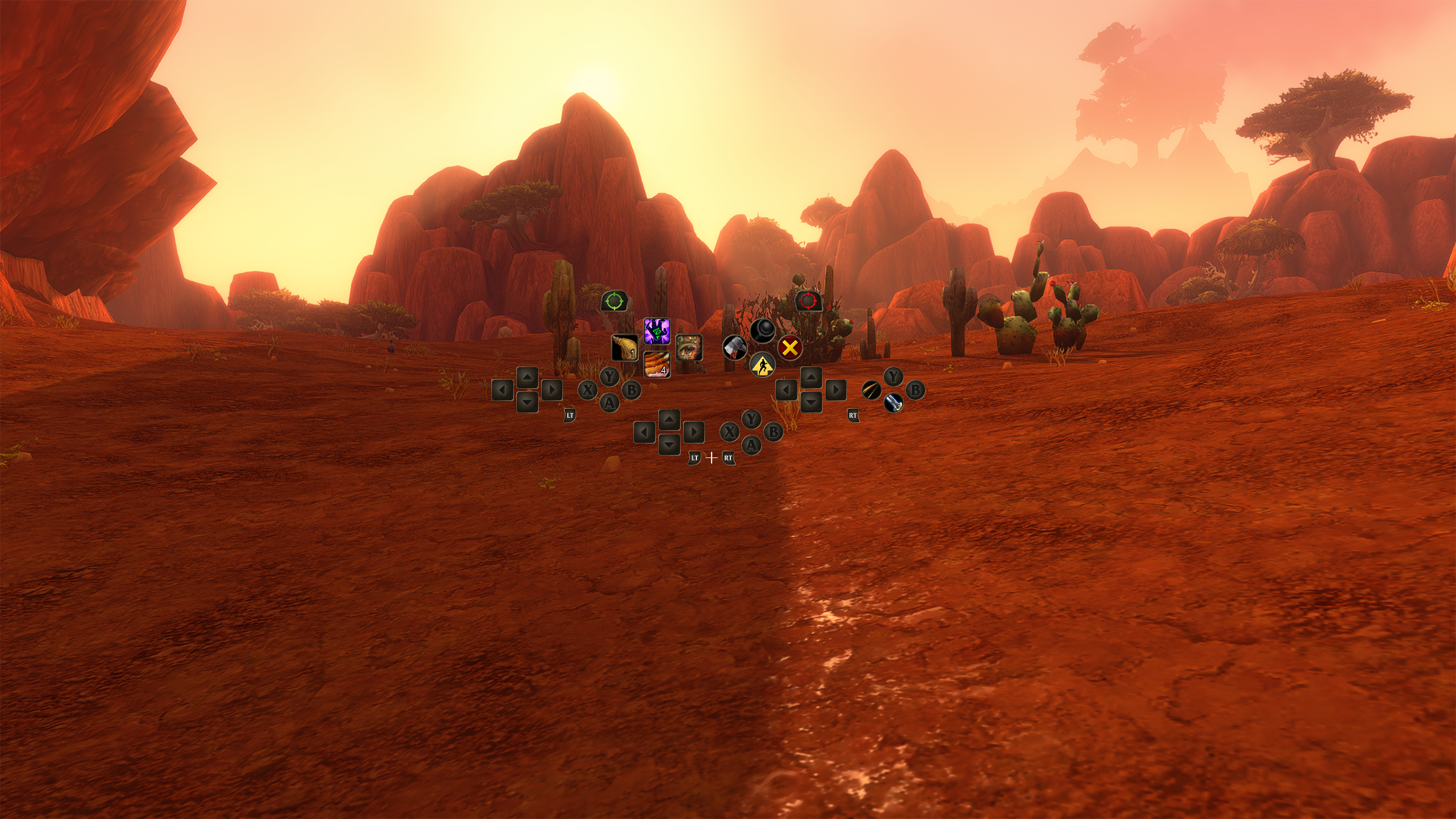
Hold LT, RT, or both triggers to cycle among four action bars, each using the same button layout for a different collection of abilities. The HUD updates to show the active bar; the guide’s Mage example maps four spells to the same directional input under different trigger combinations.[1]
For broader organization, switch among three action-bar sets with LB + RB and the D-pad. Each set contains four bars and 28 slots, for 84 customizable spell and ability slots across all three sets.[1]
HUD shortcuts
LB + RB shortcuts open the backpack with B, the quest tracker with Up, chat with Down, and buff management with Y. These shortcuts avoid navigating through menus for those panels, but typing in chat still calls for a keyboard.[1]
Still in beta
Controller support is described as functional beta, not a finished keyboard-free setup. Most screens show gamepad interaction footers, but some do not yet; interface updates are ongoing, including work to make bags and menus easier to use with a gamepad.[1]
The longer-term development goal is to reduce reliance on the keyboard, but the guide says to keep one available for tasks such as typing in-game chat. Players are advised to try movement, targeting, and ability use before taking the setup into a busy fight.[1]
TL;DR
- Controller support includes targeting, casting, looting, and menu-navigation refinements, plus settings for tailoring the HUD and controls.[1]
- Four action bars and three switchable sets provide room for different ability layouts without changing the button pattern.[1]
- Gamepad support remains in beta; interface work continues, and typing in chat still requires a keyboard.[1]
Coverage is partial. This briefing reflects the sources and discussion samples collected at publication time. Follow the citations for more context.
Go to the source
- Blizzard NewsExplore WoW: Forever with a Gamepad (opens in a new tab)Published Checked